Send to 200+ destinations abroad








 France, the UAE, Saudi Arabia, Sri Lanka, Qatar, Tanzania, Egypt, Pakistan, India and Bangladesh, among 200+ destinations
A few of more than 200 destinations
See the rate and any fee before you send.
OMPAY is authorised by the Central Bank of Oman as a Fintech Payment Service Provider and backed by Omantel.


How it is received
Bank, cash pickup or mobile wallet
Bank account
Cash pickup
Mobile wallet
Ways to receive depend on the destination.


- More than 200 destinations, from the same app
- Save the people you send to as beneficiaries
- A confirmation on screen once your transfer is sent
How it works
Send abroad in four steps

Choose International
In Transfers, tap International (Send money abroad).
Choose who gets it
Pick a saved beneficiary or add a new one, and choose how they receive the money.
Check the numbers
Enter the amount, then check the rate and any fee before you go on.
Confirm
Enter the 6-digit code sent to you by SMS. A receipt shows once the transfer is sent.
In Oman
Three ways to send in Oman
Oman’s national payment system lets you pay an account by its alias, mobile number or QR code.

-
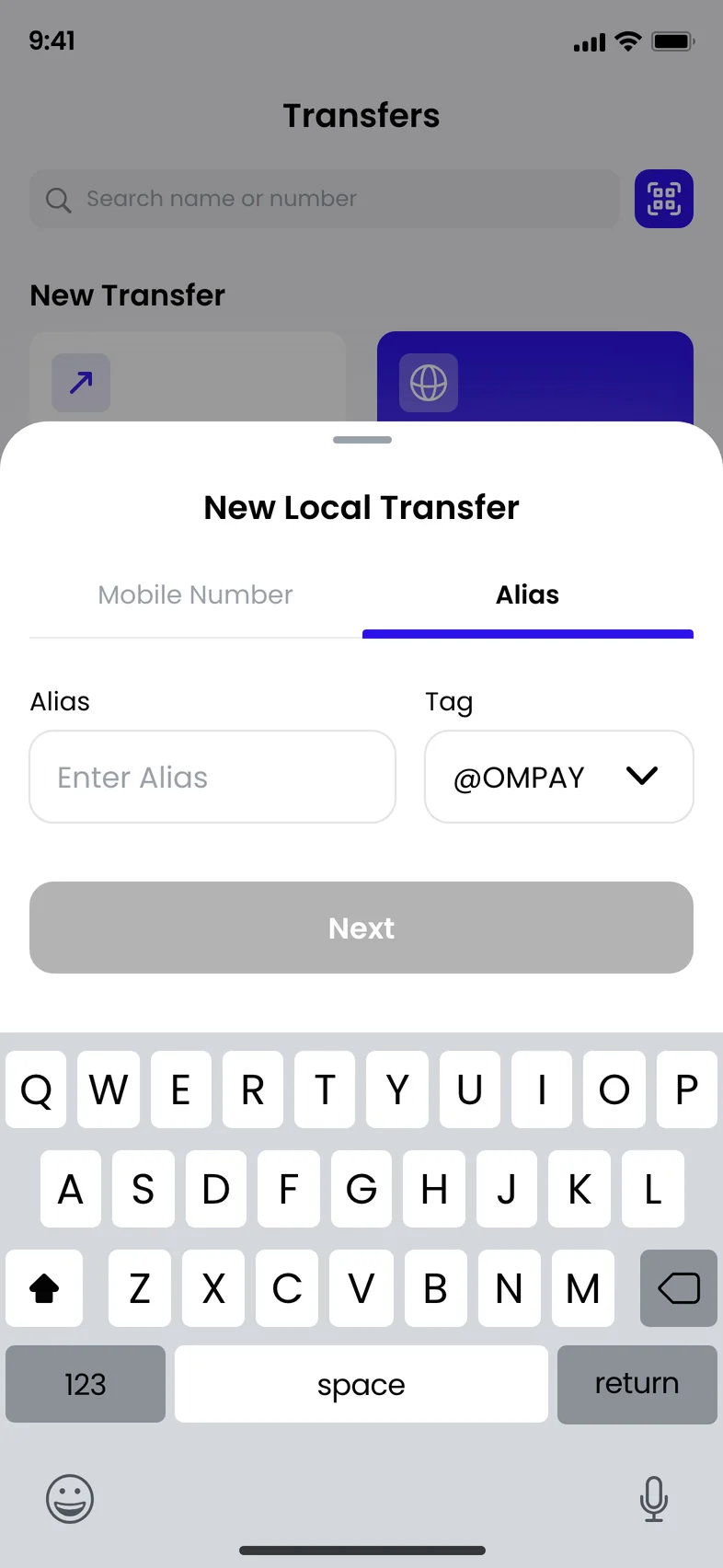
Alias
A unique name for an account. Use it when someone shares it.
-
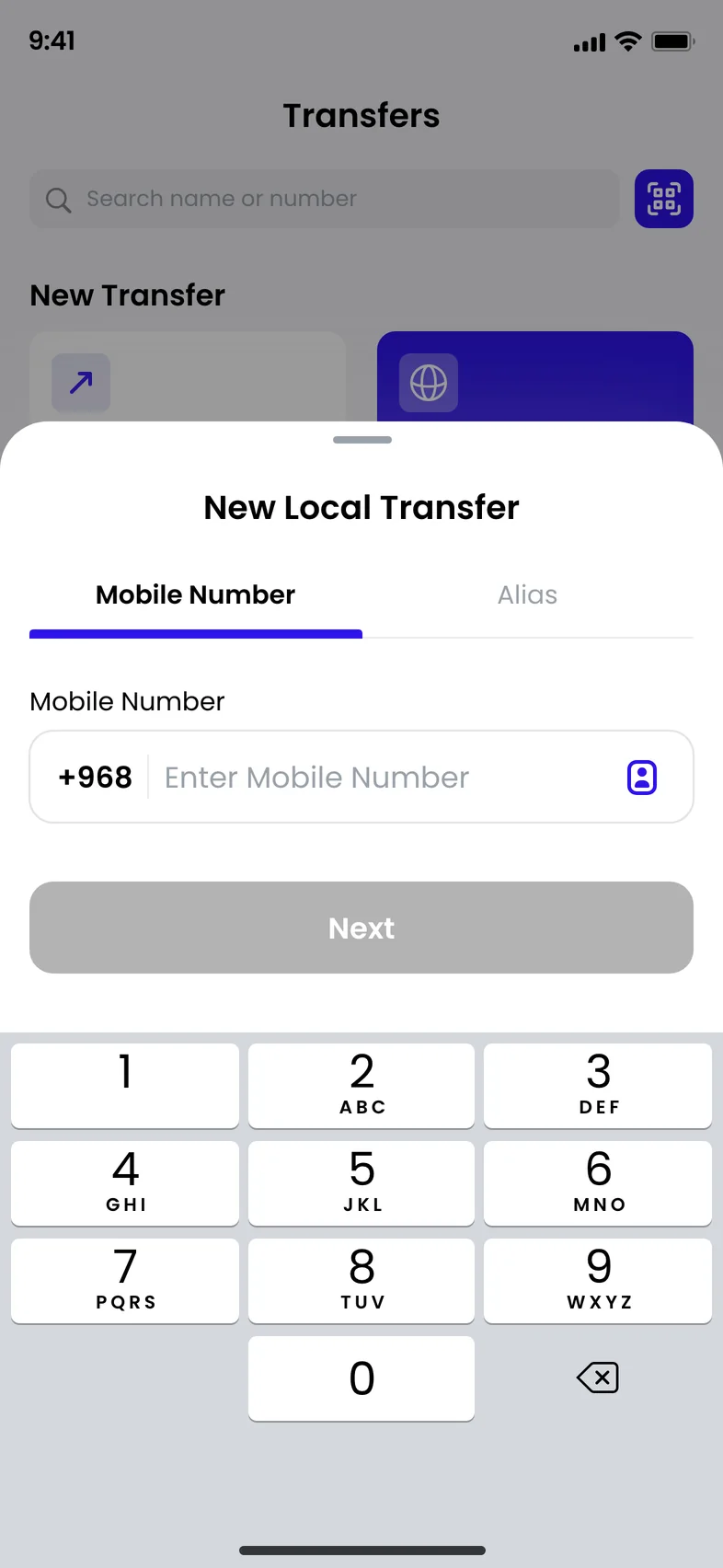
Mobile number
Use it when you have the person’s number.
-
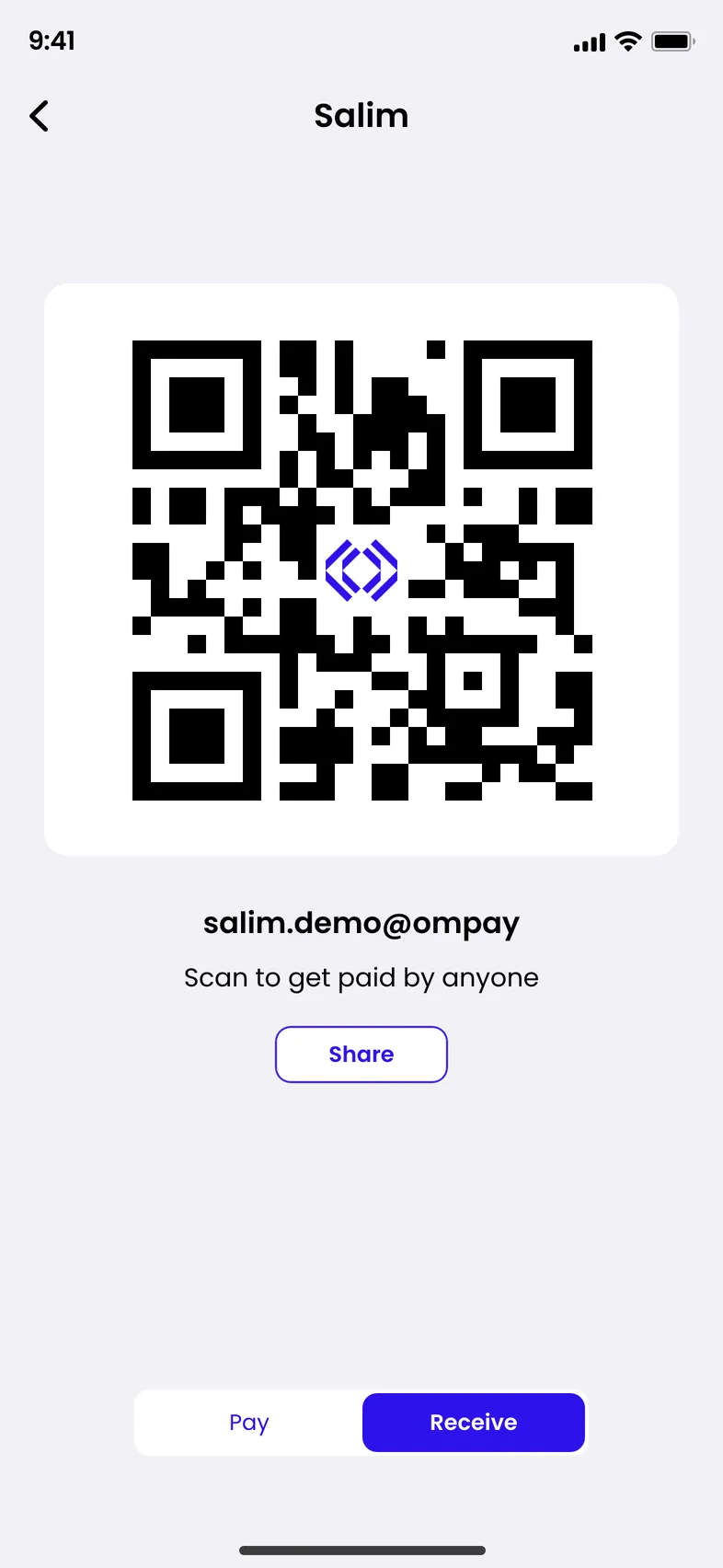
QR code
Scan it when you are face to face or at a counter.


Fees are shown in the app.
Questions about sending money
Where can I send money abroad?
To more than 200 destinations, including France, the UAE, Saudi Arabia, Sri Lanka, Qatar, Tanzania, Egypt, Pakistan, India and Bangladesh.
What does it cost to send money abroad?
The app shows the rate and any fee that applies to your transfer before you send.
What is an alias?
A unique name linked to a bank account or wallet in Oman, so people can pay it without the account number. The OMPAY app calls it your unique name to send or receive money.
Alias, mobile number or QR: which should I use?
Use the alias when the person shares it with you, their mobile number when you have it, and their QR code when you are with them.
Can people pay me using my phone number or alias?
Yes. On the Choose your Alias screen, tick ‘Make OMPAY my default wallet’. Money that people send to your registered phone number or your alias then arrives in your OMPAY wallet.
Point your phone’s camera at the code to get the app.
App Store, Google Play and AppGallery are trademarks of their owners.
Authorised, secure and backed by Omantel
- Central Bank of OmanGlobal Financial Technology LLC (OMPAY) is authorised by the Central Bank of Oman as a Fintech Payment Service Provider.
- OmantelOMPAY operates under Global Financial Technology LLC, a company backed by Omantel.
- ISO/IEC 27001:2022 certified
- PCI DSS compliant
- Customer care, 24/7+968 2444 2679